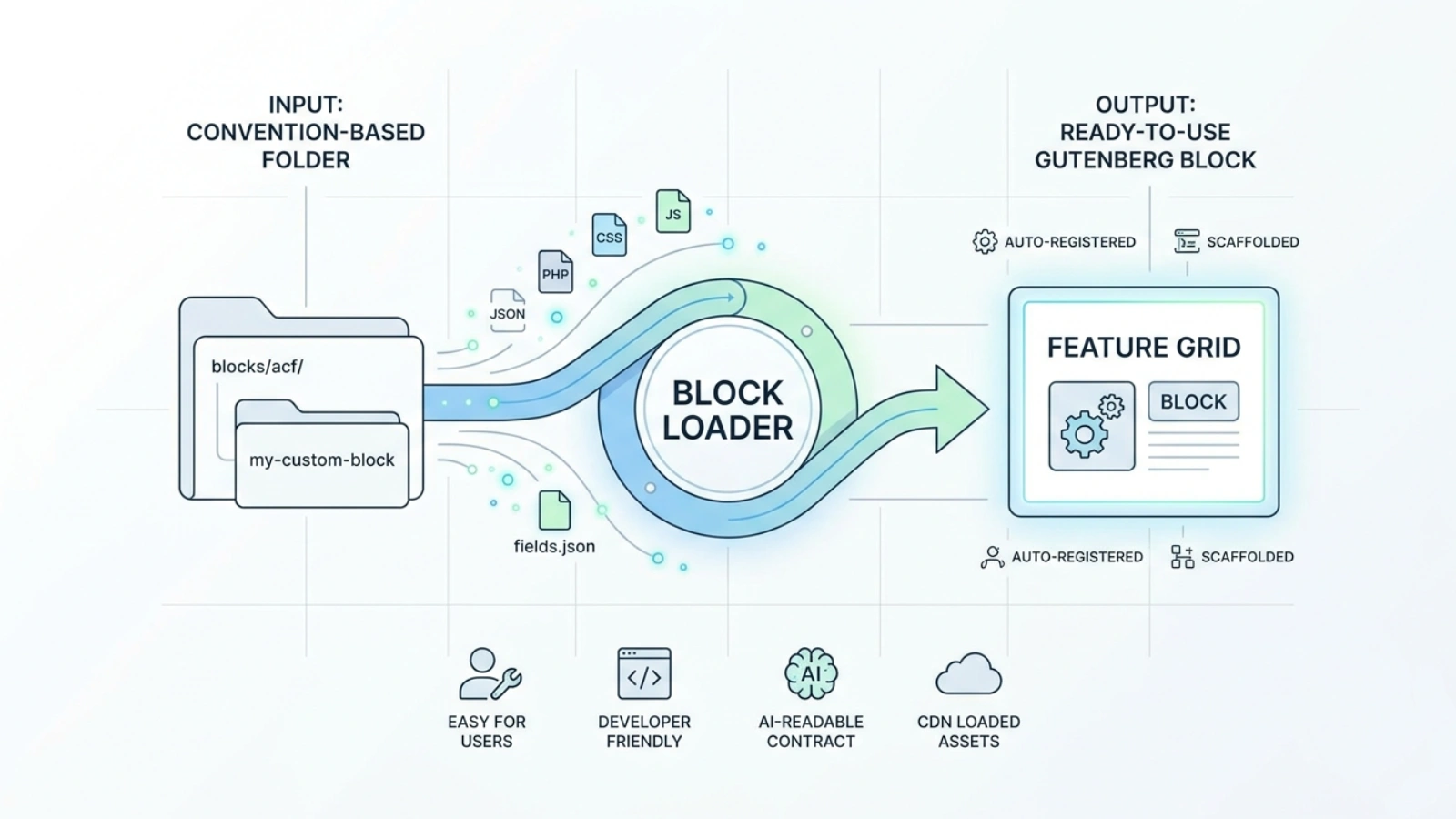
The brief
Block Loader is a WordPress plugin I built to take the boilerplate and inconsistency out of hand-authoring Gutenberg blocks for an ACF, or Secure Custom Fields, theme. Three requirements defined the brief.
Auto-register blocks from disk. Drop a convention-compliant folder into blocks/acf/ and the block appears in the editor on the next load, with no register_block_type() calls to maintain by hand.
Scaffold new blocks from the admin UI. A non-developer, or a developer in a hurry, types a title and description in wp-admin and gets back a complete, working block folder with block.json, a PHP render template, css/ and js/ assets, and an ACF fields.json skeleton. No terminal, no FTP.
Carry a documented contract so that a human maintainer and an LLM can both generate new blocks against one unambiguous spec.
The approach
The boring, repetitive parts of making a custom block should happen automatically, so the only thing a person has to think about is the design and content of the block itself. Four pieces came together to deliver that.
A clean, self-contained plugin structure. Block Loader follows the standard WordPress plugin folder layout, so the parts that run in the admin area, the parts that run for visitors on the live site, and the parts that talk to the custom-fields plugin live in separate, clearly labelled folders. The plugin never depends on the active theme, so switching themes later won't break any of the blocks.
Blocks that register themselves. Rather than maintaining a growing list of which blocks exist, the plugin just looks inside its own blocks/ folder every time the site loads. Any folder with a valid block description file gets picked up and turned into a real Gutenberg block. Adding a block becomes "drop a folder in" and nothing else needs updating.
A Block Creator page in the admin area. From the WordPress sidebar, the user opens the Block Creator page, types a name and a short description for the new block, and clicks one button. The plugin converts the title into a clean, URL-friendly slug, refuses to overwrite a block that already exists, creates the full folder structure, and writes every file the block needs: configuration, HTML render template, stylesheet, JavaScript, and a starter set of editable fields that appear in the editor straight away. Each file is written safely, and if anything goes wrong, a missing permission or a full disk, it stops with a plain-English error rather than failing silently. A live preview on the same page lists which files will be created and where, before the user commits, so there are no surprises. The result is a brand-new, fully editable block appearing in the Gutenberg editor within seconds of clicking Create.
A single page that explains how to build a new block. A short guide document spells out the folder structure, the standard block configuration file, and a few sensible defaults. Most notably, third-party libraries like sliders, icon packs, and animation libraries should be loaded from public CDNs rather than bundled into the plugin, which keeps the plugin small and keeps the site on the latest patched version. I wrote the guide so that a human and an AI assistant can both read it and produce a block that conforms to the system.
The result
Adding a block is now a folder drop, not a coding job. A fully editable, custom-fields-ready block lands in the editor within seconds of clicking Create, including support for nesting other blocks inside it.
Loading third-party libraries from public CDNs instead of bundling them cut the plugin's footprint, and the site always picks up the latest patched versions of those libraries for free.